
How To Add TSA PreCheck To Delta App? – Know Everything Here
Last Updated on Nov 18th, 2025 by Renu Dahiya, Leave a Comment
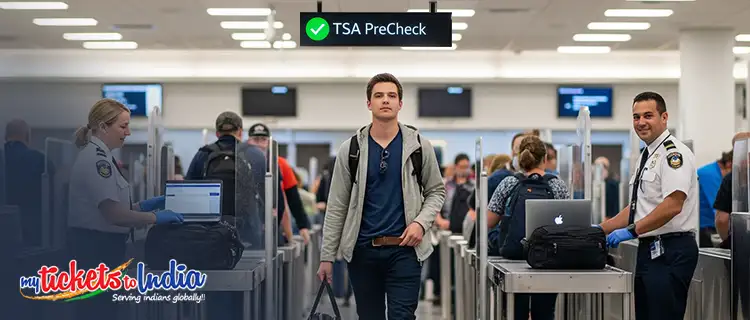
When you are at the airport to catch your Delta flight, you’ve probably noticed one special security line i.e. for TSA PreCheck. We are sure that many of you already know of TSA PreCheck, a Trusted Traveler Program (TTP) that allows travelers to quickly move through airport security.
But, you may not be as familiar with the procedure of how to add a TSA PreCheck to Delta app before booking your flight. Don’t Worry! Here we have explained everything – Delta TSA PreCheck meaning, how to update your Known Traveller Number such as TSA PreCheck to a ticket before your next Delta flight & many more. Let’s get going!
Disclaimer: This article is for informational purposes only and is not affiliated with or endorsed by Airlines. The information provided is based on publicly available resources.
TSA PreCheck – What Is It?
TSA PreCheck is a Trusted Traveler Program (TTP) administered by the U.S. Department of Homeland Security’s Transportation Security Administration (TSA). This program is available at more than 200 airports and 85 airlines, the list of the same can be found on the official website of the TSA.
Apart from the fact that many airports and airlines participate in TSA PreCheck, there are few destinations where TSA PreCheck is not available.
TSA PreCheck Benefits
- TSA PreCheck provides travelers with expedited security screening for a better and smooth travel experience.
- With TSA Pre, travelers no longer need to remove shoes, belts, light outerwear, laptop from a carry-on bag, and 3-1-1 compliant liquids from a carry-on bag.
- The program is available at more than 200 airports with 85 participating airlines.
- It is the most convenient and efficient security screening process.
- With TSA PreCheck, you’ll be able to plan your travel with confidence and enjoy a more predictable experience.
How To Add TSA PreCheck To Delta App?
If you’d like to add a traveler number such as a TSA PreCheck, KTN, or Redress number, make sure to add this information to your passenger information before booking your next Delta flights, whether domestic or international flights like Chicago to Delhi flights.
Now, let’s know how to add KTN to Delta app or how to add TSA Precheck to Delta app.
To add a Known Traveller Number or TSA Precheck to Delta, after your PreCheck application has been approved, update your profile by logging into your Delta SkyMiles account.
The TSA PreCheck – The known Traveler ID column can be found under ‘Personal Details. Learn what will be the process in the case of new bookings and existing bookings below –
In The Case Of New Bookings
To add your KTN/PreCheck number to a new reservation of Delta flights, first, log in to your Delta SkyMiles account. It will automatically populate most of your personal details necessary to complete your purchase, including adding your Known Traveler Number or PreCheck number to your reservation.
If you are not logged in to your Delta SkyMiles account or do not have one, you can add your Known Traveler Number manually during the booking process, when entering your passenger information. You can find the Known Traveler and Redress Number field under the Secure Flight Info head.
In The Case Of Existing Information
You can update your TSA PreCheck number or Know Traveler Number even after your bookings. Just go to the official website of Delta Airlines, then find your reservation and edit your passenger information to update your PreCheck details.
Tip – If you don’t know what is a Redress Number and how to apply for it, you can check our handy guide here.
How To Add TSA PreCheck To Delta Boarding Pass?
After your TSA PreCheck application is approved, your benefits are not automatically applied to your flight bookings. You need to update your existing flight reservations and your airline loyalty program profiles so that you’ll be able to use the TSA-dedicated airport security lanes for PreCheck Members.
After successfully updating your details, print your boarding pass from the Delta app. If your boarding pass does not show your PreCheck status, you won’t be able to use the TSA PreChekc security lanes. So, always make sure your Delta Boarding pass contains the ‘TSA PRE’ stamp.
Suggested Read – Delta Airlines Check-in policy
How To Add TSA PreCheck to Other Airlines’ Reservations?
- American Airlines – To add PreCheck to a ticket on American Airlines, update your AAdvantage profile with your traveler number. Know everything about how to add TSA PreCheck to American Airlines here.
- Southwest Airlines – Travelers flying with Southwest Airlines can add their PreCheck number to their Southwest Rapid Rewards member profile or at the official website while booking their flight tickets. Learn all the details regarding how to add TSA PreCheck to Southwest here.
- United Airlines – Update your KT or PreCheck number to your United MileagePlus account or at the United Airlines’ official website. Here’s how to add TSA PreChcek to a United air ticket.
Suggested Read – Delta Airlines Baggage Allowance
Frequently Asked Questions
Q: What is a Redress Number?
A: A Redress Number is a unique 7-digit code issued by the Transportation Security Administration (DHS TRIP) as part of its Secure flight program, which helps the TSA eliminate watch list misidentification at the airport.Q: What is a Known Traveler Number?
A: A Known Traveler Number (KTN) is provided to all those individuals approved to receive TSA PreCheck expedited screening. It gives security screening benefits for travel to and from the USA. They include programs like Global Entry, Nexus, TSA PreCheck, and SENTRI.Q: How to add my Known Traveler Number to Delta app for an existing reservation?
A: To add your Known Traveler Number (KTN) or add TSA precheck to existing reservation delta, go to the official website of Delta and edit your passenger information.Q: How to add a Redress Number to Delta Flight?
A: You can add your Redress Number by logging into the Delta SkyMiles account. You will find the ‘Redress Number’ field in your ‘Personal Details’. Or, update the number on Delta s official website.Q: How to add a Known Traveler Number to Delta Boarding Pass?
A: To add your KTN to the Delta boarding pass, simply login to the Delta SkyMiles account and update your Known Traveler Number or PreCheck Number in the ‘Personal Details’ or add the number at the official website of the airline while purchasing your flight tickets. After this, print your Delta Boarding pass with the ‘TSA PRE’ stamp.Q: How to add Global Entry to Delta app?
A: First log in to your Delta SkyMiles account, and under ‘Personal Details’ update or add your Global Entry Number in your Secure Flight Passenger Data.Now that you know the complete process of how to add TSA PreCheck to the Delta app. So, the next time you plan to book your flights with Delta, make sure you update your KTN or PreCheck Number to the Delta app or at Delta’s official website.
Have more queries? Ask us in the comment section below. Our team, at MyTicketsToIndia, will try to resolve all your queries in the shortest possible time.

We are a reputed flight booking portal that specializes in offering exclusive deals and heavy discounts on international flight tickets to India and vice versa. Our user-friendly site and advanced search engines will surely help you find the cheapest flights available in the market.
Our Trustpilot ratings of 4.8 on 5.0 and the umpteen positive reviews stand testimony to this fact. With us, another area that will work in your favor is the full support that you’ll get from our 24/7 customer care staff. So, give us a call without any further delay. You can join our live chat too.
All brand names and trademarks mentioned are the property of their respective owners and are used for educational purposes only. We do not promote, endorse, or criticise any brands. Their use is solely for reference and informational context.

About Renu Dahiya | View Posts
Renu Dahiya is a passionate writer who worships her profession. Her love for writing has encouraged her to pursue her career as a writer. Her friends call her a “travel worm” and always come to her to know some interesting traveling tips and destinations. Renu is a repository of knowledge about traveling who knows which place should be visited in which season. Oh yes, she is insanely in love with dancing too. Writer, traveler and dancer, a perfect combination! Without a doubt, she is a complete package.
Latest Blog
-
Best Food Options At Houston Airport For Every Traveler
Updated on 17 Sep 2026 -
Houston Airport Lounges at George Bush Intercontinental Airport (IAH)
Updated on 17 Sep 2026 -
Houston Airport Parking: Complete Guide to On-Site, Off-Site Parking, Rates & Tips
Updated on 17 Sep 2026 -
Student Flights to India from USA: How to Find Student Fares & Discounts
Updated on 11 Sep 2026 -
Family Travel Guide: Booking Flights from the USA to India
Updated on 07 Sep 2026

Discuss this post ?